
STEM AI Robot Control 451
Build your skills with our interactive curriculum.
What you'll learn
- ✅ Step-by-step interactive guidance
- ✅ Practical problem-solving skills
- ✅ Foundation principles of STEM
- ✅ Build and program real-world projects
Requirements
- • PC, Mac, or compatible tablet with a modern browser.
- • No prior experience necessary.
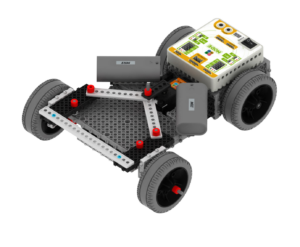
- • MRT Robotics kit is required for hands-on building.
Course Content
1 sections • 11 lessons
Course Content
🔒
Lesson 2 — Open MRT Scratch App
🔒
Lesson 3 — Control the Robot with Sample Model
🔒
Lesson 4 — Introduction to Google Teachable Machine
🔒
Lesson 5 — Train Your Pose Model
🔒
Lesson 6 — Export Your Model & Save the URL
🔒
Lesson 7 — Complete Guide: Teachable Machine to Robot Control
🔒
Lesson 8 — THE HIGHWAY COLLAPSE: AI Rescue Mission
🔒
Lesson 9 — Golf Challenge Guide
🔒
Lesson 10 — AI Coding Mission A
🔒
Lesson 11 — AI Coding Mission B
Subscription
Get access to this course and all other MRT eLearning pathways with a family subscription.
Start Learning with Subscriptionor
Buy Robot Kit & Unlock Learning Access
Robot kit purchases may include valuable eLearning access. The included courses, lesson access, and access period may vary depending on the product, bundle, and current policy.
This course includes:
- 💻 Full lifetime access
- 📱 Access on desktop and tablet
- 🏆 Certificate of completion
- 📊 Parent progress dashboard