
Big ideas.
Built in your
classroom.
Real robots. Purposeful code.
Learning you can see.
Connect science, technology, engineering and maths through guided robot builds, coding projects and focused practice. Give students a clear next challenge — and teachers the content and learning visibility to support them.
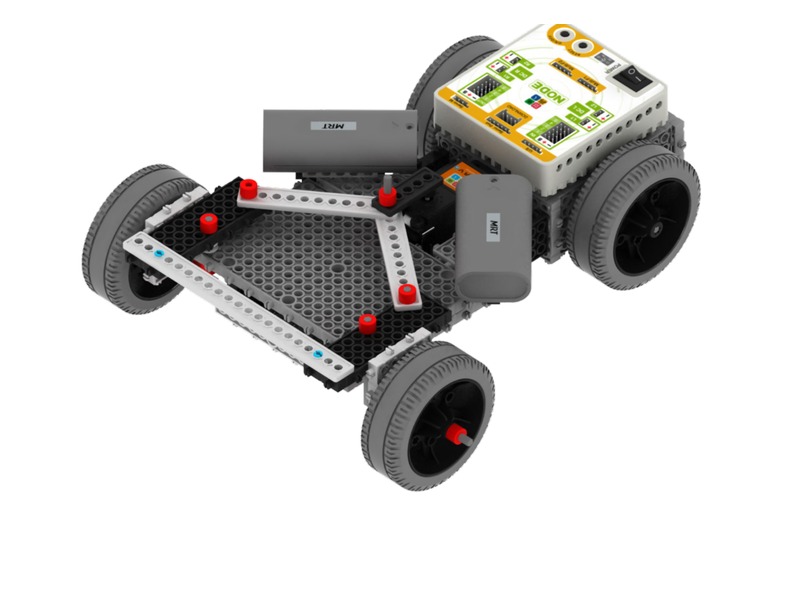
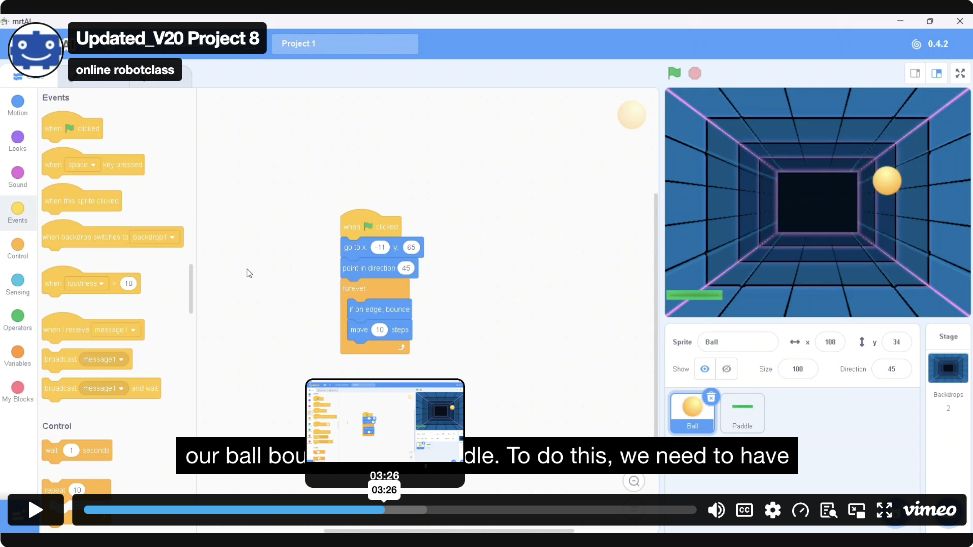
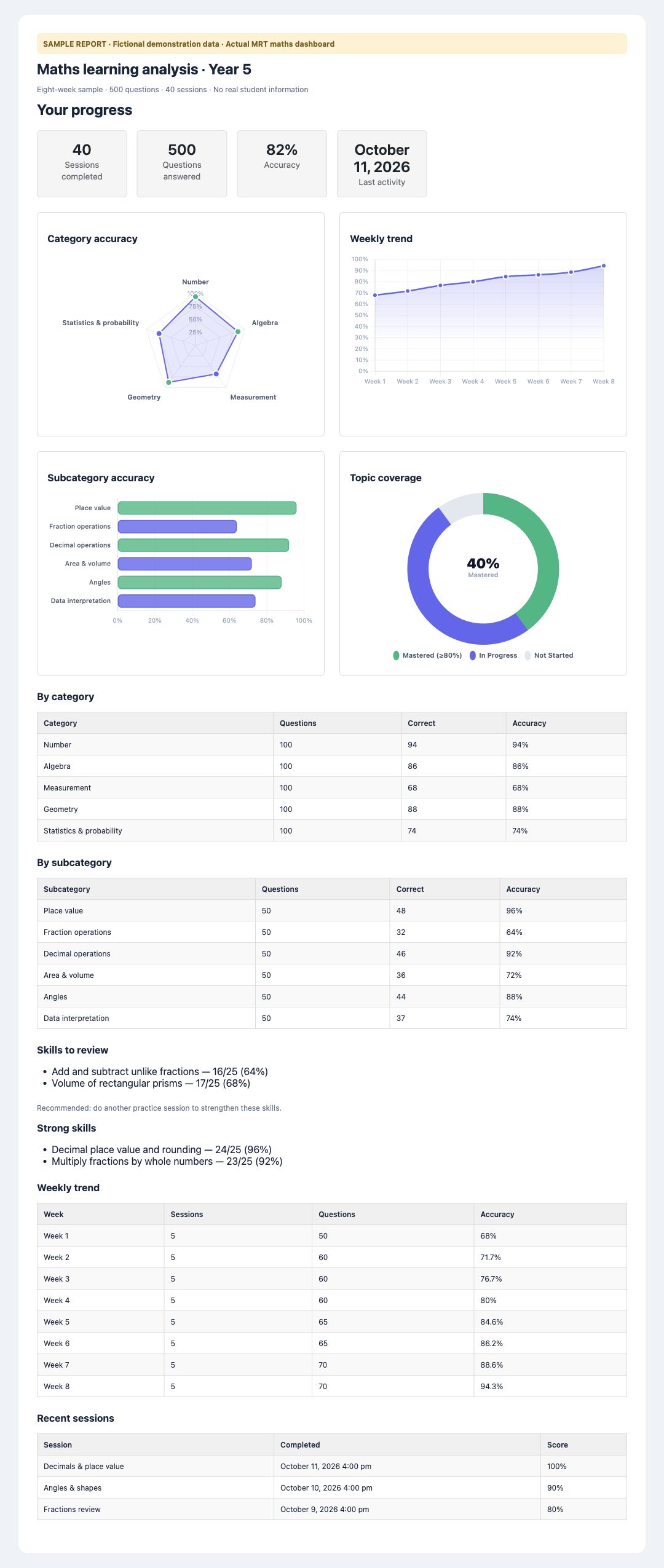 See the full sample analysis ↗Actual MRT robot & learning screens · report uses fictional data
A meaningful next step.
For your students. For your school.
Build a program around the time, devices and teaching team you have. Begin with a focused group, then extend the learning as students develop.
Bring STEM concepts to life.
Connect science and maths ideas with building, coding and testing. Combine guided digital learning with teacher-led discussion and practical exploration.
Make room for deeper thinking.
Use a regular STEM club or extension group for creative projects, logic missions and more demanding robot challenges. Progress by readiness and experience.
Give learning a bigger stage.
Develop skills through regular lessons, then prepare eligible projects for the UNSW Robotics Coding Challenge and international pathways such as IYRC.
ROBOTICS CURRICULUM FOR SCHOOLS
Plan a first robotics lesson your team can deliver.
Choose a project that matches your students, equipment and teaching time. These are example starting points for a classroom, STEM club or after-school program, rather than a compulsory course sequence.
BUILD & INVESTIGATE · ROBOTICS 101
How does a mechanism change movement?
Follow a model guide, predict what will move and compare what happens when a build changes. Ask students to explain the role of the parts they used.
Prepare: the matching 101 kit, model guide, shared workspace and teacher supervision.
Explore Robotics 101 →CODE & TEST · ROBOTICS 402
Can your robot follow your instructions?
Use Scratch robot coding to predict, test and improve a robot response. Change one part of the program, compare the result and explain what changed.
Prepare: a compatible Node mainboard and robot parts, a supported device and the connection required by the selected lesson.
Explore Robotics 402 →TRAIN & COMPARE · AI 451
How can a trained model control a robot?
Explore AI Stage 1 by training a model, testing how it responds and connecting the result to robot control. Discuss why training examples and test conditions matter.
Prepare: the equipment and camera access required by the chosen 451 activity, suitable robot hardware and the relevant coding foundations.
Explore AI 451 →Before the first class
- Confirm the course, kit and mainboard. Robotics 401 and 402 use different boards and coding environments.
- Test your school devices, network and the selected USB or Bluetooth workflow before teaching.
- Choose the teacher responsible, plan practical supervision and discuss any onboarding or training needed.
- Agree what students will build, test and explain, then review the available progress alongside teacher observations.
Course access, equipment, teacher training and delivery dates are confirmed in the school quotation. The examples above do not add courses or equipment to an existing package.
Understand the idea.
Build something with it.
Robotics and coding bring STEM into action. Maths and typing-based learning strengthen the reasoning, language and fluency behind it. Confirm the selected courses and access with MRT when planning your school package.
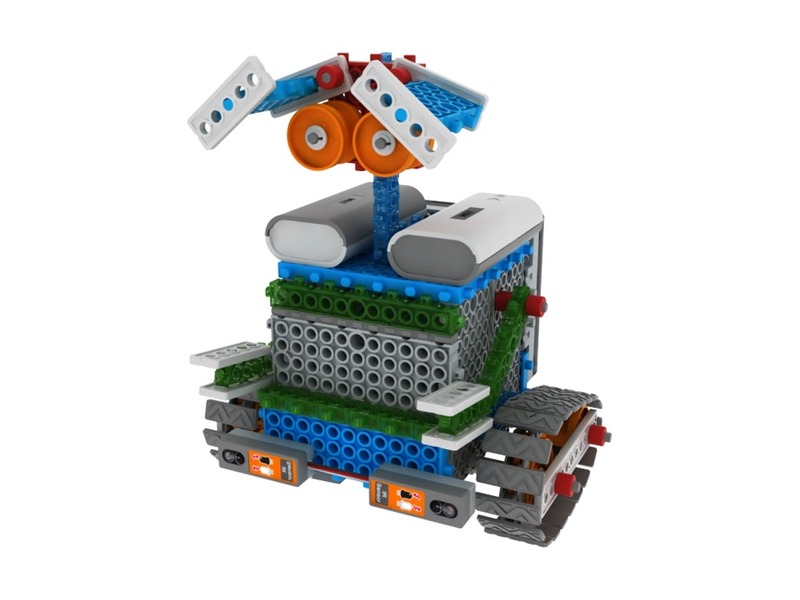
Robotics & AI
Explore science. Engineer a solution.Build mechanisms, investigate sensors and control real robots. Progress from first builds through graphical C++ or Scratch control to AI and Python.
001 → 101 → 201 → 301 · 401 / 402 · 451 · 501Explore the courses ↗Coding & logic
Turn an idea into a working program.Create stories and games, solve logic missions and develop programming skills from Scratch Jr and Scratch towards Python. Practise testing, debugging and improving.
Scratch Jr · Scratch · Logic missions · PythonExplore the courses ↗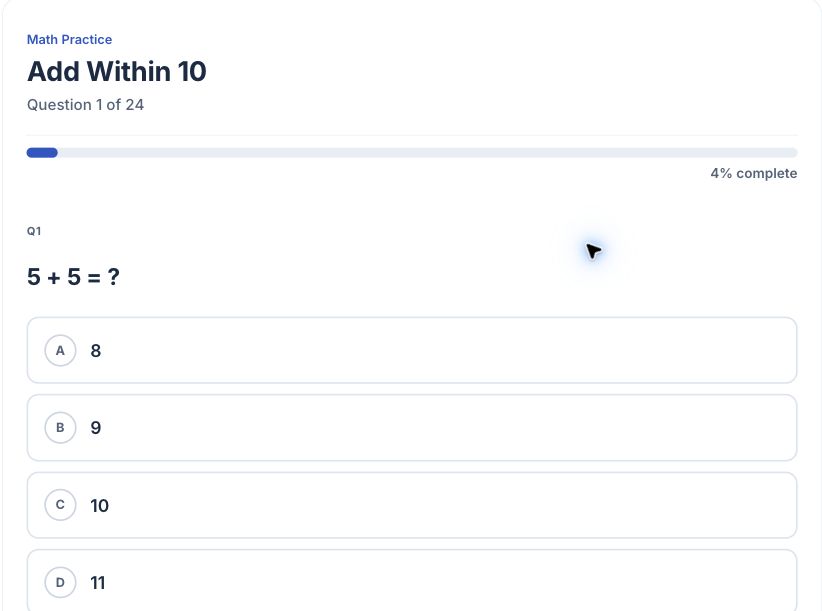
Maths · K–Year 10
Find the gaps. Build understanding.Practise year-level concepts with questions and explanations. Review strengths and weaker skills, select focused practice and work towards mastery.
Primary: K–Year 6 · Secondary: Years 7–10Explore the courses ↗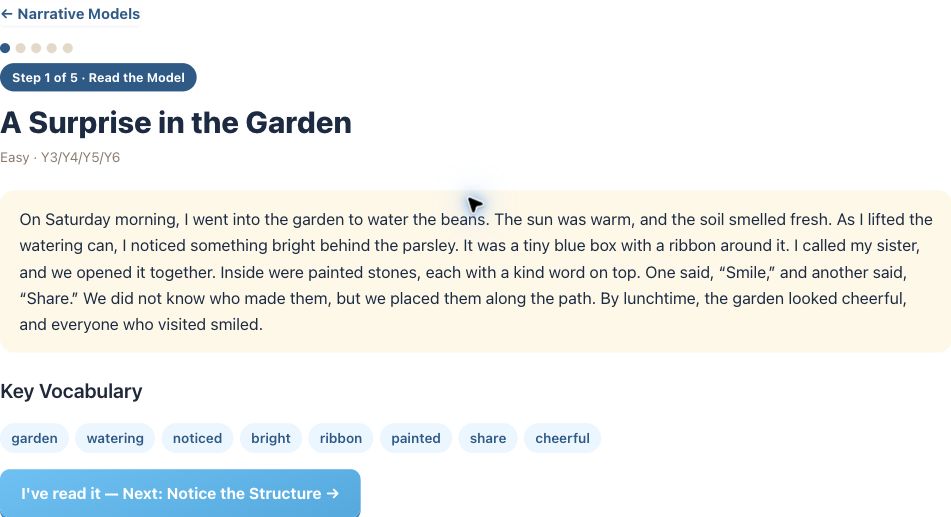
Typing, vocabulary & writing
Build fluency with a purpose.Develop keyboard accuracy while practising code syntax, basic logic and English vocabulary. Explore writing models and practise different forms of expression.
1,360 vocabulary items · 100 writing models · 10 genresExplore the courses ↗Less starting
from scratch.
More teaching.
Use prepared lessons and a teacher portal to support your program. MRT coordinates school setup, class groups and access with your nominated contact.
Request a teacher portal walkthrough ↗Choose the session, guide discussion, support individual learners and supervise practical work. Ask about individual or group teacher training for your selected program.
01Find your classes & students
View the configured class groups and student lists for your school program. Confirm teacher responsibilities and account setup during onboarding.
02Help students get started
Use student accounts and printable login cards to support classroom access. MRT can help prepare the setup for your agreed student group.
03Review learning progress
Check available coding and robotics course progress alongside maths learning information. Use it to spot where students may need support or a new challenge.
04Bring evidence to the next conversation
Review available student reports when planning feedback, follow-up practice or a discussion with families. Agree any parent-report arrangements with the school and MRT.
Portal actions and reports depend on the configured school access, activity and user role. A walkthrough lets your team check the workflow before rollout.
Open the full sample analysis ↗Actual MRT maths analysis interface · fictional sample data · no real student information. Teacher reports and student analysis views may differ.
See strengths.
Spot the gaps.
Support mastery.
Look beyond a single score. Maths analysis brings together category accuracy, performance trends, topic coverage and skills that need more practice.
- Practise a concept
- Review the evidence
- Focus the next activity
- Revisit and improve
Coding and robotics provide course progress. Typing activities record speed and accuracy. Evidence varies by activity; use it alongside your own classroom observations.
Prepare at school.
Take on the challenge.
MRT is an official operator of the UNSW Robotics Coding Challenge, with robots and curriculum that support competition preparation. MRT AI 451 uses the official Challenge robot kit.
Build a pathway towards the Australia-wide UNSW Robotics Coding Challenge and international events such as IYRC. Develop coding, engineering and AI skills through lessons before preparing an eligible competition project.
Entry, registration, dates, categories and permitted equipment follow each organiser’s current rules. Competition entry and travel are separate from school platform access.A clear starting point
for your school budget.
Start with a class, club or selected group. Confirm the subjects, student numbers, term dates and any equipment or training in your school quotation.
per student / term · GST included
A$30 excluding GST
- School accounts and agreed course access
- Teacher portal and available learning reports
- School onboarding and setup coordination
Planning estimate for platform access only. Your confirmed school quote sets the program scope, dates and terms.
Robot kits & quantities · Teacher training · Competition entry
View robot kits ↗A supported start.
A program your team can own.
- 1
Plan the pilot
Tell MRT your year levels, student numbers, timetable and preferred subjects. Ask about a demonstration or trial and confirm its scope.
- 2
Confirm the setup
Agree the quote, course access, class groups, teacher contacts and account arrangements. Share student information through the agreed onboarding process.
- 3
Prepare your team
Check the selected activities on school devices and networks. Match robotics kits and mainboards, prepare supervision and arrange any teacher training.
- 4
Teach, review & extend
Run your sessions, review learning evidence and adjust the next activity. Extend the program or prepare a challenge team as your students become ready.
Clear answers.
A confident next step.
Can we start with just one class or club?
Yes. Plan a focused pilot with your year levels, student group and timetable. Confirm the selected courses, access period and price with MRT before rollout.
Which year levels and courses are available?
Maths is developed from Kindergarten through Year 10. Robotics spans 001 to 501, including the 402 Scratch-to-AI pathway and 451 AI Stage 1. Coding and typing-based courses support different levels of experience. AI Stages 2 and 3 are in development.
What does the teacher portal do?
The portal displays configured classes, student lists, login cards, available progress and reports. MRT coordinates initial setup and access. Ask for a walkthrough to check the workflow for your school.
Do teachers need to be robotics experts?
Prepared lessons help teachers get started, but teachers still prepare sessions and supervise students. Discuss individual or group teacher training and the requirements of your chosen equipment with MRT.
Do we need robot kits to begin?
Digital maths and coding provide a starting point without robot kits. Physical building and robot control require compatible kits and mainboards. 401 and 402 share robot models but use different boards and coding environments.
What is included in the price?
The published platform rate is A$33 per student per term, including GST. Confirm agreed course access and setup in your school quote. Robot kits, teacher training, competition entry and travel are separate.
Can we use an invoice or purchase order?
Provide your school billing contact and purchase-order requirements in the registration form. MRT will confirm the quotation and billing arrangements with your school.
Can students prepare for national and international competitions?
Yes. Use lessons to build skills and prepare eligible projects for the UNSW Robotics Coding Challenge and international pathways such as IYRC. Each organiser sets current entry rules, categories, equipment requirements and dates.
How are parents involved?
Agree the school’s preferred learning-report arrangements with MRT. Keep school contact information current and decide how teachers will discuss student progress with families.
What if students already use MRT at a centre or at home?
Let MRT know during onboarding so existing account and access arrangements can be checked before school setup. This helps coordinate the student’s learning across settings.
Start with your school.
Build towards their possibilities.
Tell us who you teach and what you want to achieve. We’ll help shape the starting point.
Plan your school program ↗Have a question first? Email the MRT teamRegister Your School
Tell us about your school and proposed program. MRT will review your registration and confirm the setup, access and next steps.